A cleaner grid of time
I declare this day—Wednesday, 12 December 2012—Pythagoras day. As the calendar marks 12-12-12 we ought to reflect upon the majesty of Base 12 as Pythagoreans are wont to do. (Ridiculous / lofty / over-reaching tone is entirely intentional.) To that effect I present a modest manifesto (unfinished and ill-advised) for calendar revision inspired by the beauty of twelve’s divisibility.Redefining Time
The measurement of time is a human right. Measure itself shapes the experience of that which is measured. It is with these two convictions that we engage our current popular system for measuring time.
It is not the goal of this proposal to be absurdly radical—to propose non-linear measurements of time or uselessly abstract definitions, however poetic. Rather, it is the goal of this proposal to be modest and sympathetic to the current Gregorian system by insisting on simple improvements and even reaffirming aspects of the current system after investigating alternatives.
This proposal is divided into installments of investigation. This current installment in particular investigates the division of a year into both months and weeks. It does not investigate the location and measurement of an epoch nor does it propose a fixed location for the year (for example beginning a year in mid-winter as the current system does versus beginning on the first day of spring.) It does not propose a new system for dividing days into hours, minutes, and so on. More after the jump…
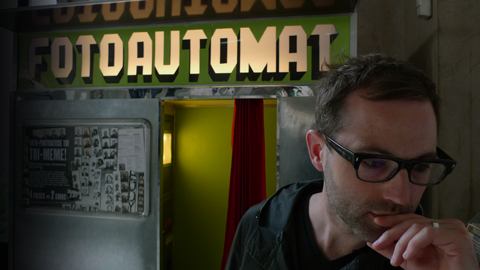
Google Creative Lab, NYC
We’ve closed up shop in London and hauled it all back to New York City, the greatest city on Earth. We fired the fake interns and parted ways with the fake partners. We’re not even “we” anymore—or never were as it were. Stewdio will continue to exist as a non-existent entity whilst collaborating with real actual people and organizations, just as it always has.
Beginning next Monday, however, my primary focus will become Google Creative Lab. Here’s to the future.
—Stewart
Twitter and Google Talk may be down but there's always Chatttr.
Google Talk seems to have crashed some time this morning, prompting upset users to take to Twitter for some realtime commiseration. But now Twitter seems to also be down for the count. Fortunately there’s always Chatttr to fall back on. (It’s like the word Chatter but with the E replaced by a third T.) Chatttr is too small to fail. Or at least, too small to be missed if it does.
No sign-up required, just start typing: http://chatttr.com
Live-Work: Stewdio on the beach
Last Friday I gave a quick talk about Stewdio projects called “Live Work” in Google’s Creative Sandbox on the beach in Cannes, France during the annual Cannes Lions festival. Google has just uploaded video of the talk:
View on YouTube: http://youtu.be/ZX3CUPSrp_k
Cannes Lions talk on Friday
Stewart is giving a small Cannes Lions talk called “Live-Work” on Friday, June 22nd at 16:00 in the Google tent. From Google’s description: Come and join Stewart Smith—founder of Stewdio—on our beach for an intimate discussion about how he mixes graphic design, art and code to produce some incredible work. For a list of some of Stewart’s previous lectures see items tagged with talk.
Shale playlist
It’s springtime rainy days in London—as good a time as any for a new playlist heavy on differing versions of St. James Infirmary Blues. Introducing Shale, thirteen songs to brood and sulk by.
01. Knock Knock. The Accidental.
02. Oh My Heart. REM.
03. St. James Infirmary. Ramblin’ Jack Elliott.
04. Mostly Waving. Emily Haines & The Soft Skeleton.
05. St. James Infirmary. Bobby Bland.
06. Western Eyes. Portishead.
07. Life in a Glasshouse. Radiohead.
08. Going to Georgia. The Mountain Goats.
09. So. Central Rain. REM.
10. St. James Infirmary. Snooks Eaglin.
11. What’s a Girl to do. Bat for Lashes.
12. St. James Infirmary Coda. Decembler.
13. Where Did You Sleep Last Night. Nirvana.
Jed's Other Poem on the Commodore 64
Stefan Post of PostWare recently took it upon himself to port the source code for our Jed’s Other Poem music video from its original Applesoft BASIC form to Commodore BASIC. This means Jed can now run on the Commodore 64! You can read Post’s notes and download his C64 port here: http://www.postware.nl/site/Jed2.html
Mac OS X users can download Vice 2.3 which is a package of several related emulators. When downloaded, open the x64sc emulator and from the File menu select Smart attach Disk/Tape (or hit Command+O). Select Posts’s PRG file and before long you will see Jed’s blinking cursor. Adjust the emulator’s speed as necessary.
Of course you can still download the original Applesoft BASIC code and run it on an Apple 2 emulator. For OS X we recommend Virtual ][ which emulates the Apple ][, ][+, and //e. And if you happen to have an actual vintage Apple laying around you can use the audio file included in the source code package to load Jed onto it via the cassette port—just like the guys at Panic Software! See their blog post about it: An Apple //e, an iPad, and Jed.
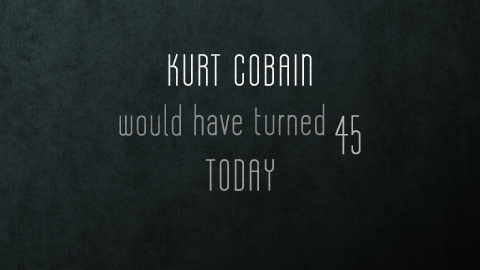
Stewdio Grave
Grave is a rigidly geometric typeface with a spooky demeanor. We’re revealing it today, on what would be Kurt Cobain’s 45th birthday. No correlation, really. Check out the Stewdio Grave project page.- Patience. Loading Stewart's Twitter feed . . .